Start with the most important thing anyone can tell you about a dive computer, because a lot of writing on the subject gets it backwards:
Your dive computer does not enforce anything. It cannot stop you ascending. It cannot hold you at a stop. It cannot prevent an accident. It is a very good instrument that beeps, and every limit it shows you is enforced by exactly one thing: you. Divers who believe the device is in charge are the divers who get hurt when it beeps and they keep going.
With that understood, here's how to actually read one.
The Three Numbers That Run Every Dive
Depth. Sampled continuously and used to drive everything else.
Time. Note that your computer shows total dive time, from the moment you descend until you surface, including your ascent and stops. That is not the same as "bottom time," a tables-era term meaning the time until you begin your ascent. Don't mix them up when you're planning from a table and diving from a computer.
NDL, the no-decompression limit. How many minutes you can stay at your current depth and still ascend directly (with a safety stop) without a mandatory decompression obligation. It shrinks fast with depth: at 20 m you may have 40 minutes or more; at 40 m you may have well under 10.
And now the caveat that most articles omit, which changes how you should read every number above: there is no universal NDL. It depends entirely on your computer's algorithm and its conservatism setting. Two divers side by side on the identical profile (one on a Bühlmann computer at moderate gradient factors, one on a Suunto running RGBM), will see materially different NDLs. Neither is wrong. Dive your own computer, and never dive someone else's numbers.
Ascent Rate
Go up slowly. The number to know:
9–10 metres per minute (about 30 feet per minute), and slower still in the final 10 metres.
You'll sometimes see 18 m/min quoted as acceptable. That's the obsolete US Navy figure, the Navy itself moved off it roughly two decades ago, and DAN's bubble studies show markedly fewer bubbles at 10 m/min than at 18. Modern computers alarm somewhere around 9–10.
An ascent-rate alarm means one thing: you are going up too fast, and dissolved gas is coming out of solution in your tissues faster than it should. It has nothing whatsoever to do with your gas supply. Slow down, get your buoyancy under control, and let it clear.
Safety Stops and Deco Stops, Not the Same Thing
This distinction is the heart of reading a computer, and it's worth being precise.
| Safety stop | Decompression stop | |
|---|---|---|
| When | Every dive, as good practice | Only once you exceed your NDL |
| Where | 5 m (15 ft) | Whatever depth the computer prescribes, in 3 m increments |
| How long | 3 minutes | As long as the computer says, and it grows the longer/deeper you stayed |
| Optional? | Discretionary, but do it every time | Mandatory. Surfacing through it is a ceiling violation |
Once you go into deco, your computer stops advising and starts prescribing. The ceiling, a term worth learning, is the shallowest depth you may legally ascend to right now. Ascend above it and you have violated your decompression obligation.
Note how real stop schedules work: the shallowest stop, at 3 m, is normally the last and the longest. A schedule that sends you from 9 m to 6 m and then straight to the surface isn't a thing any recreational computer will give you.
Your computer will also show TTS (time to surface), the total remaining ascent including every stop. That's the number that tells you whether your remaining gas can actually get you out.
Air Integration
An air-integrated computer reads your tank pressure wirelessly from a transmitter on your first stage, and combines it with depth and time to project how long your gas will last.
SAC / RMV is the metric underneath it, and it's routinely defined backwards. SAC is your surface air consumption: your breathing rate normalized to one atmosphere. That's the whole point of it. You take that surface number and scale it up by ambient pressure to work out what you'll actually consume at depth, at 30 m you're breathing about four times your SAC. A diver who thinks SAC means "what I breathe at depth" will under-plan their reserves badly.
Set a reserve and honour it. The common recreational discipline is to surface with 50 bar / 500 psi still in the tank. (Note 50 bar is about 725 psi, not 700, a small thing, but be exact with your own numbers.)
Gas time remaining (GTR) is a projection, not a promise. It assumes you keep breathing the way you're breathing right now. Get cold, get startled, or start finning hard, and it will collapse faster than you expect.
Nitrox: PO2, MOD, and the Oxygen Clock
Diving nitrox means setting the actual oxygen percentage in your computer before you get in, EAN32 and EAN36 are the common recreational blends. More oxygen means less nitrogen, which means longer NDLs. That's the benefit.
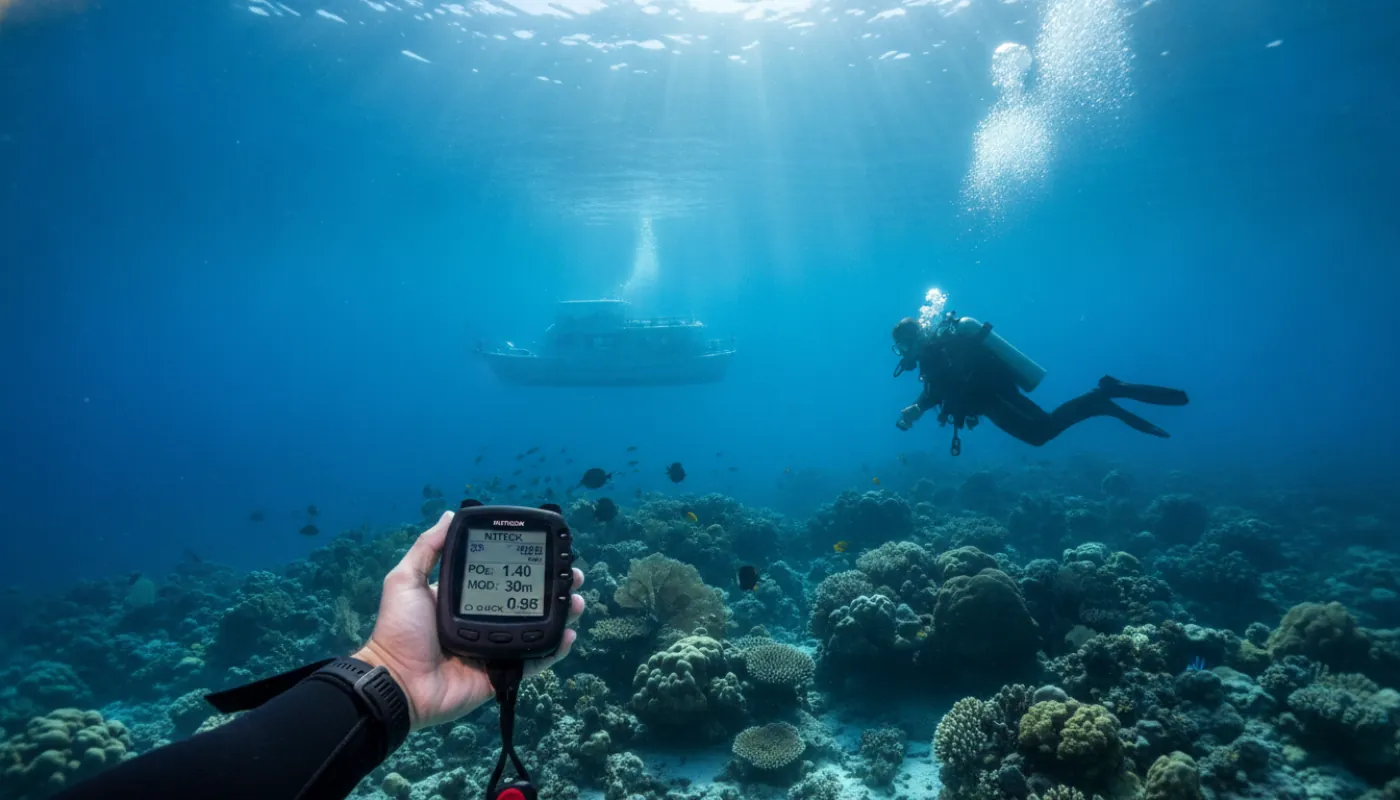
The cost is oxygen toxicity, and it is governed by PO2, the partial pressure of oxygen, which is a function of your mix and your depth. The limits:
| PO2 | Meaning |
|---|---|
| 1.4 bar | The standard working limit. Plan your dive to stay under it |
| 1.6 bar | The absolute maximum / contingency limit, used at rest, e.g. on a deco stop. It is a hard ceiling, not a target |
MOD, maximum operating depth, is where this gets real, and it's arithmetic you should be able to do yourself:
MOD (metres) = ((PO2 limit ÷ O2 fraction) − 1) × 10
For EAN32 at the 1.4 bar working limit: ((1.4 ÷ 0.32) − 1) × 10 = 33.75 metres. That's your depth limit on that mix. It reaches the absolute 1.6 bar maximum at exactly 40 m. At 50 m, EAN32 puts you at a PO2 of 1.92 bar, well into the territory where an oxygen toxicity seizure underwater is a genuine risk, and a seizure underwater is usually fatal.
So the headroom on nitrox is much tighter than people assume: a mix that's fine at 30 m is over its working limit by 34 m. Richer mix, shallower limit. Always.
Your computer also tracks CNS%, the cumulative oxygen clock across your dive and your day. PO2 is the instantaneous exposure; CNS% is the running total, and it's what constrains repetitive nitrox diving. Watch it.
No-Fly Time: The Number Every Computer Shows and Most Articles Skip
Your computer counts down a no-fly time after you surface. Respect it: flying with a residual nitrogen load is a well-documented route to decompression sickness.
DAN's consensus minimum surface intervals before flying:
| Your diving | Minimum before flight |
|---|---|
| A single no-decompression dive | 12 hours |
| Multiple dives, or multiple days of repetitive diving | 18 hours |
| Any dive requiring mandatory decompression stops (or heliox/trimix) | Substantially longer than 18 hours |
These are minimums, not targets. And they apply to altitude generally, not just aircraft, driving over a mountain pass after a day's diving is the same physiological problem, which catches out divers in places like Bali and Costa Rica.
Temperature, Conservatism, and Settings
Cold water genuinely raises your DCS risk, but not for the reason the internet usually gives. Cold slows perfusion and impairs off-gassing, the problem is that you eliminate inert gas less efficiently on the way up, not that you somehow absorb it faster on the way down.
Some computers do account for it: Scubapro/Uwatec's ADT MB algorithm factors skin temperature, Mares' PZ+ adds conservatism in cold water, and Suunto's RGBM makes adjustments too. Don't assume yours does; read the manual.
Two settings to check before you get in:
Conservatism / gradient factors. On a Bühlmann computer you'll see GF Lo / GF Hi. GF Lo governs how deep your first stop is; GF Hi governs your total deco time and how close to the surfacing limit you're allowed to run. Lower numbers, more conservative dive. If you don't know what yours are set to, find out.
Salt vs fresh water. This changes the pressure-to-depth conversion by roughly 3%. A computer left on the saltwater setting will slightly under-read depth in a lake, meaning it runs a little liberal. Worth fixing; not worth panicking about.
When Things Go Wrong
Your computer fails mid-dive. End the dive. Signal your buddy, ascend together using their computer for depth and rate, take a generous safety stop if your gas allows, and get out. Then stay out, you no longer have a record of your tissue loading, so a 12–24 hour break is the conservative call. The real fix is redundancy: serious divers carry a second computer, and that's why.
You bust a ceiling. If you're still in the water, get back down below the ceiling immediately and let the computer resolve it. If you've already surfaced, do not go back down. Breathe surface oxygen, monitor for symptoms, and contact DAN emergency services. Expect the computer to go into a violation lockout for 24–48 hours, which is a feature, not a fault.
Never share, lend, or reset a computer mid-series. It tracks one diver's tissue loading across a repetitive series of dives. Hand it to your buddy for their dive, or switch it off and clear it, and the series is invalidated, you'd need roughly 24 hours out of the water before its numbers mean anything again.
Finally
Recreational diving stops at 40 m / 130 ft, and that limit exists no matter what your computer is willing to display. Reading your computer well doesn't mean finding out how much the machine will let you get away with. It means understanding what it's modelling, an approximation of the gas in your tissues, and staying well inside it.
The number on the wrist is a model of your body. Treat it as advice from a very good, very literal-minded friend who cannot save you, and dive accordingly.